At a glance
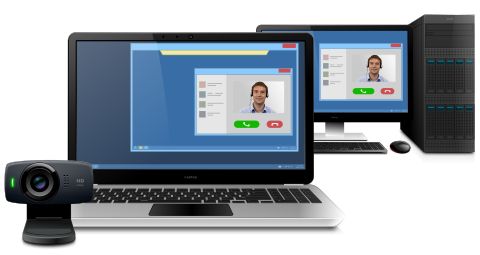
Webcam for Remote Desktop is a software that allows you to work with local webcam in a remote desktop environment. The program streams high-quality video with low latency making it possible to perform video calls and conferences, stream video, set up machine vision systems and much more in the remote desktop session.
How does it work?
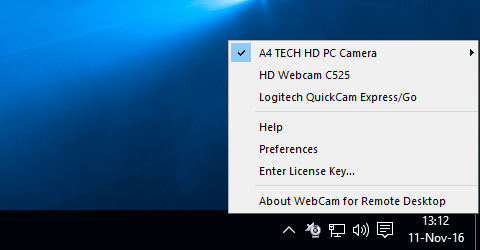
The program consists of two parts, Server and Workstation.
The Workstation is installed on the local computer where the camera is physically plugged in. The Server should be installed on the remote side (remote desktop server, VDI, distant computer or cloud instance). Once you are logged into remote session, your local video input device will become accessible on the remote side. Webcam for Remote Desktop Server creates virtual camera on the remote side, receives video data from the local hardware camera and directs it into the virtual one.
As a result, any application that expects for a video stream is able to get it from a virtual webcam.
Works with any video devices

Thanks to support for DirectShow (DirectX) Webcam for Remote Desktop is compatible with a wide variety of video input devices, including, but not limited to: webcams, video capture cards, ID scanners and machine vision cameras.
Works with any video software

There is no need to switch instant messengers or video conferencing software. All of them work perfectly with Webcam for Remote Desktop. WhatsApp, Discord, Zoom Meetings, Google Meet, Microsoft Teams and many others are available for video calls in a remote desktop session.
Webcam for Remote Desktop also supports video chats and streaming on social networking services and applications like Facebook, YouTube, etc.
Sound support

The latest versions of Webcam for Remote Desktop support redirection of input and output audio streams, making it a truly all-in-one solution for video conferencing
Protocol and OS support

Webcam for Remote Desktop supports Microsoft RDP, Citrix ICA, Amazon DCV (WSP), Omnissa (VMware) Blast, and Teradici PCoIP protocols and will redirect your video device to Microsoft Azure, Windows 365, Remote Desktop Services, Citrix Virtual Apps and Desktops, Omnissa (VMware) Horizon, AWS, AppStream 2.0 and other environments.
Windows, Linux and macOS are supported as a local (Workstation) OS. On the remote (Server) side Windows is the only supported OS at this day.
Built with security in mind
Webcam for Remote Desktop takes care of your confidential information safety. If you work in a multi-user environment and there are more then one user logged in, your local webcam will be isolated from others within your individual remote session. No one but you can use your camera or even see your it in the system.
Our solution connects virtual and hardware cameras directly without using shared folders or any other tricks. There are no hidden stored footage somewhere in the system, neither on local nor remote sides.
Double hop session support

You can connect from your workstation to remote Server 1. And then initiate a connection to another Server 2 session from Server 1. The device will be accessible on Server 2 without any additional configurations.
A lot of useful features
- There is no need to install any drivers on the remote side every time you plug in a new camera. This saves a lot of headache for your system administrator.
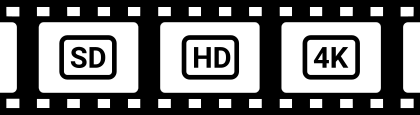
- Stable streaming with great quality on different connections. Configure custom resolution, compression and frame rate in order to meet your network bandwidth.
- Webcam for Remote Desktop, as well as other FabulaTech solutions, is fully compatible with Azure Virtual Desktop.
- Webcam for Remote Desktop works perfectly in seamless mode.
Additional Information
More details at FabulaTech websiteOS: Windows, Linux, macOS, Version: 3.2.8
Price: $
Rating: 5
(2 reviews)
Try Something Bigger
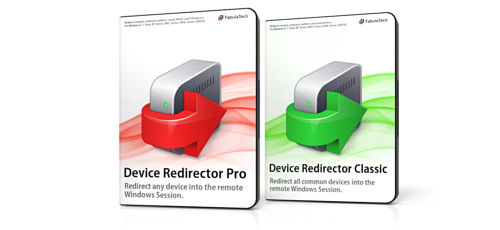
We're reinventing our device redirection software to offer you even more rich user experience while working in remote desktop environment.
Device Redirector is a combined solution allowing you to redirect almost every device to remote desktop session. Learn more about it's benefits and new features.